
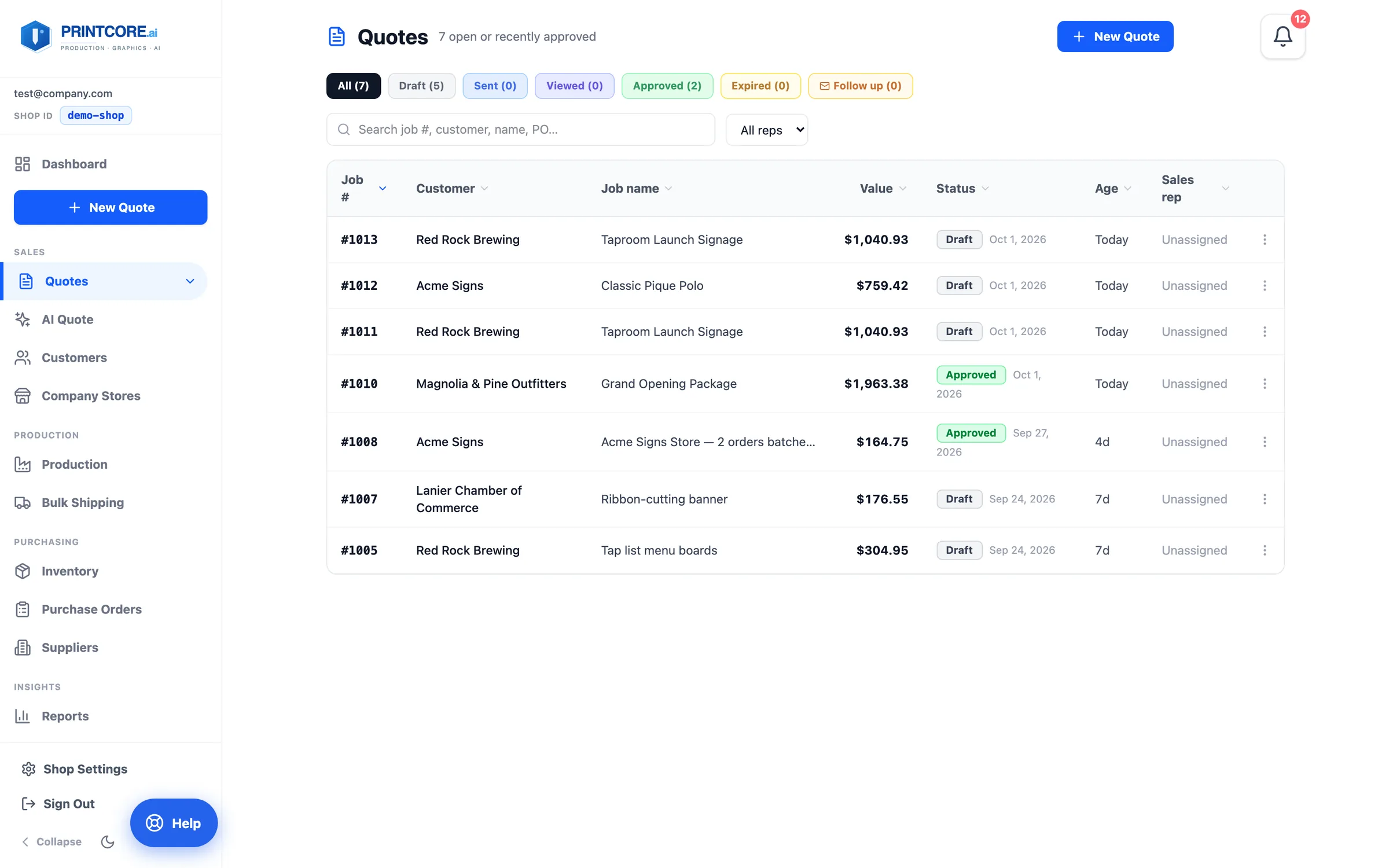
Open the Quotes list
Click Quotes in the sidebar. The list shows every open quote plus those approved in the last 30 days, newest first, with tabs for Draft, Sent, Viewed, Approved, Expired, and Follow up. (The chevron beside Quotes opens the specialty lists — Booklet, Wrap, Cut Vinyl, and Channel Letter quotes — whose drafts join this list once sent.)
What to do
Why it matters
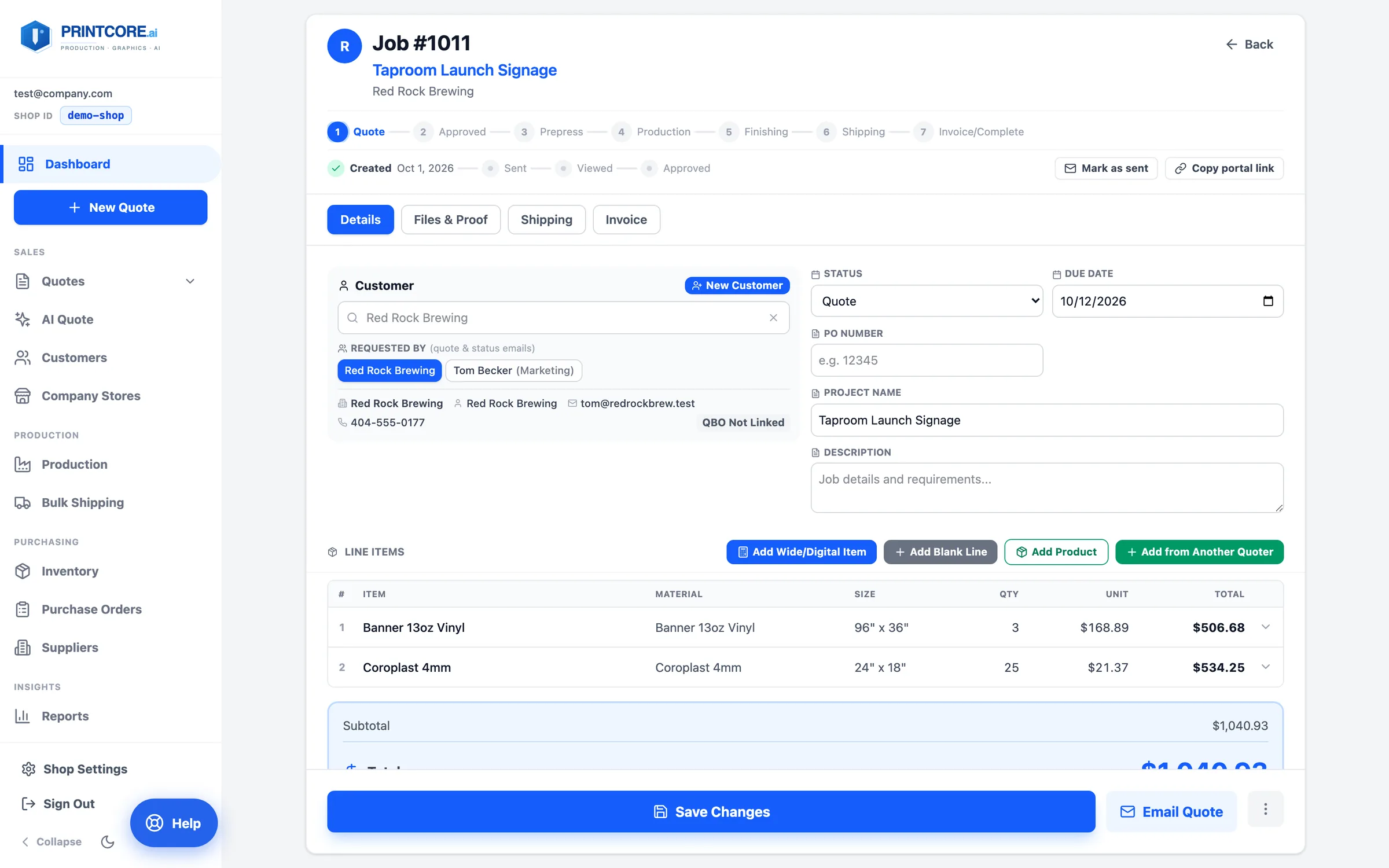
Draft → Sent → Viewed → Approved
Each quote moves through four stages. Sent is stamped when you email it (or click Mark as sent… for a quote that went out by phone), Viewed when the customer opens the link or the portal, Approved when they accept. Quotes are valid for 30 days.
What to do
Why it matters
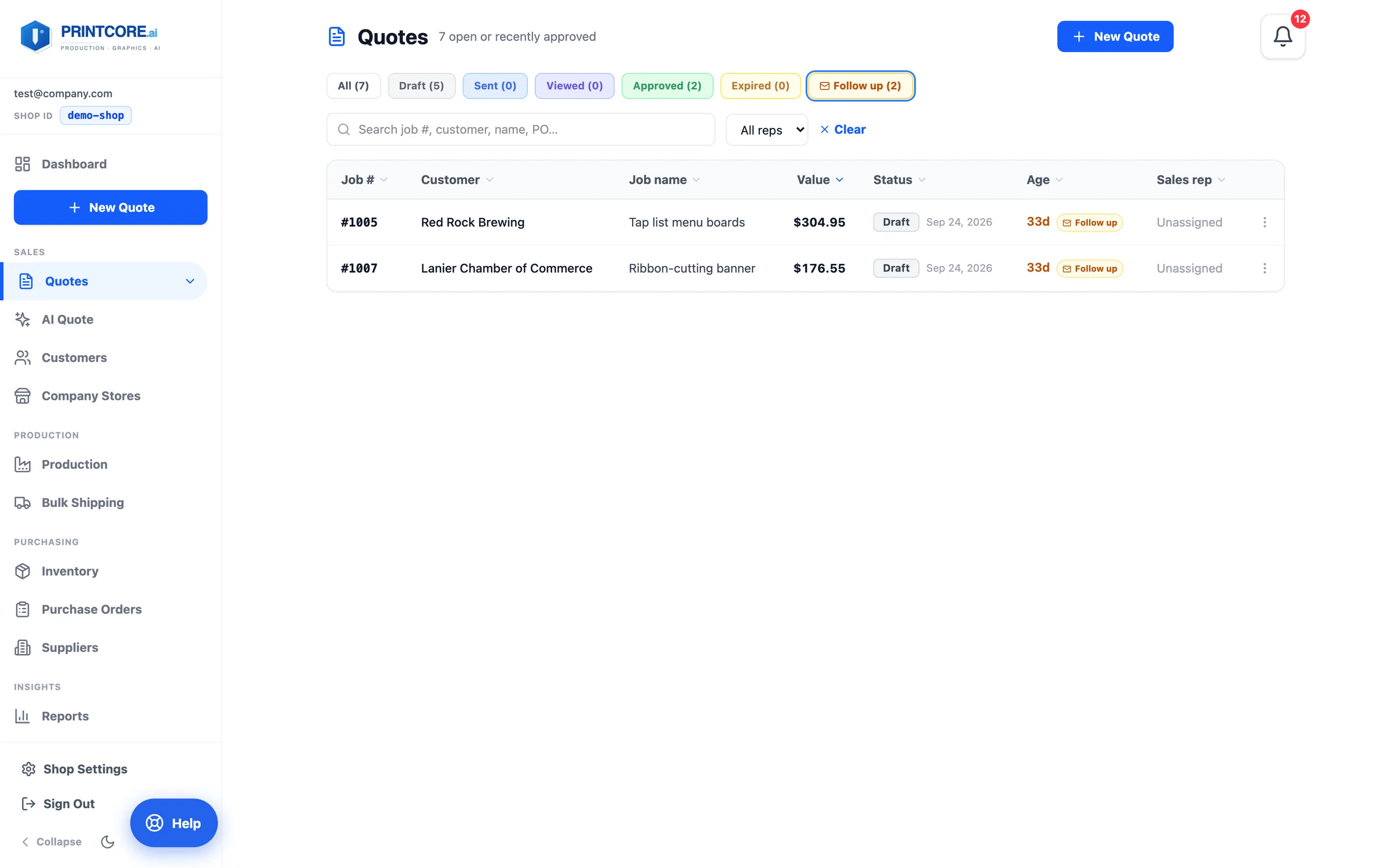
The Follow up chip
After 30 days without a decision a quote gets an amber Follow up chip — on the board card, in the list, and on the ticket. After 60 days it's Stale and gains an Expire action.
What to do
Why it matters
Send the nudge
From the Follow up tab, open the quote and resend it. That stamps a fresh Sent date and snoozes the chip for 7 days.
What to do
Why it matters
No quote left behind 📬
Next: product presets — the fastest way to quote the things you sell every day.