
Open the AI Quote inbox
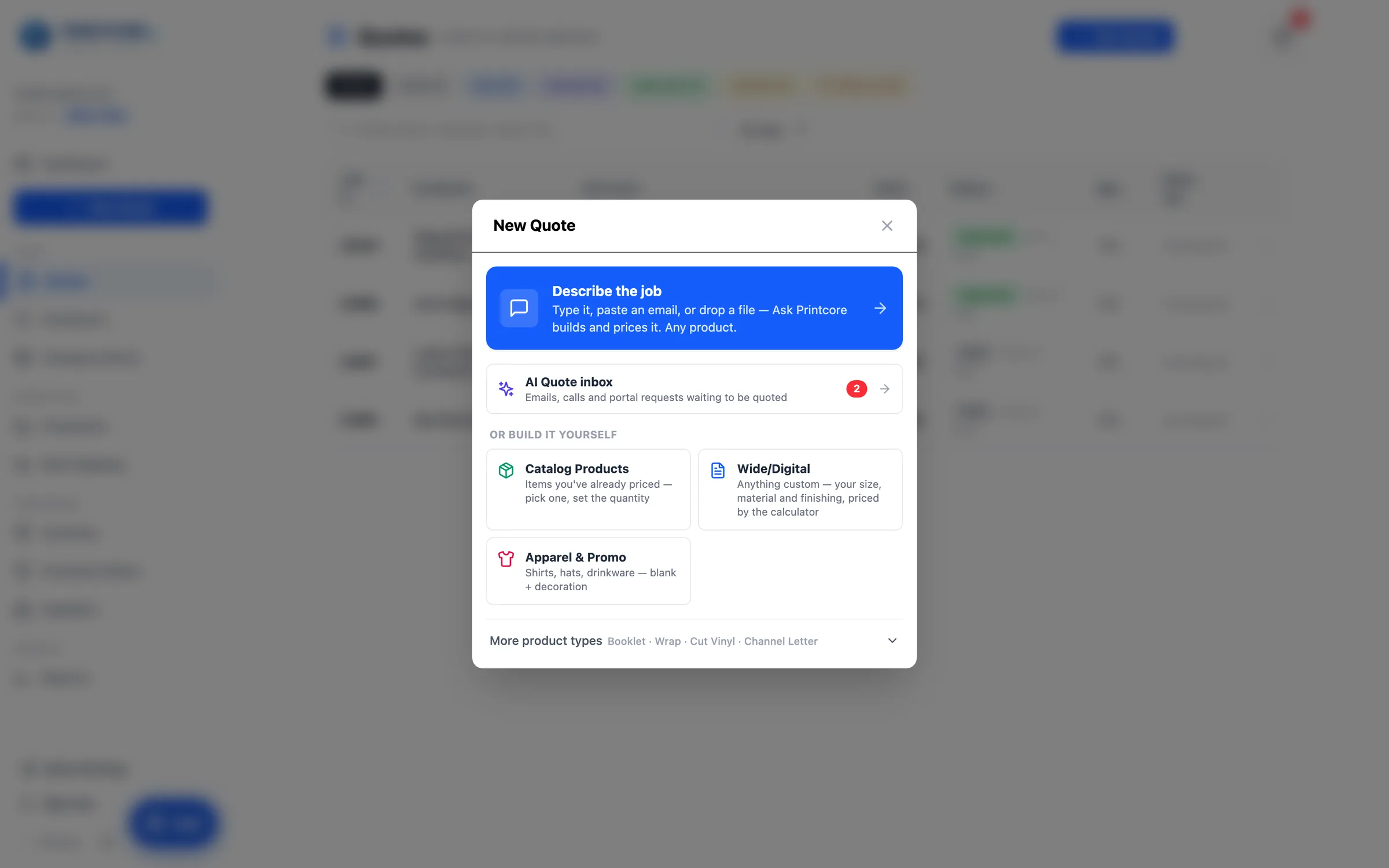
AI Quote lives behind New Quote. The AI Quote inbox row sits right under Describe the job, with a red count of requests nobody has opened yet — forwarded emails, AI phone-line calls, and portal requests. The notification bell announces each new one too.
What to do
Why it matters
The inbox and the input tabs
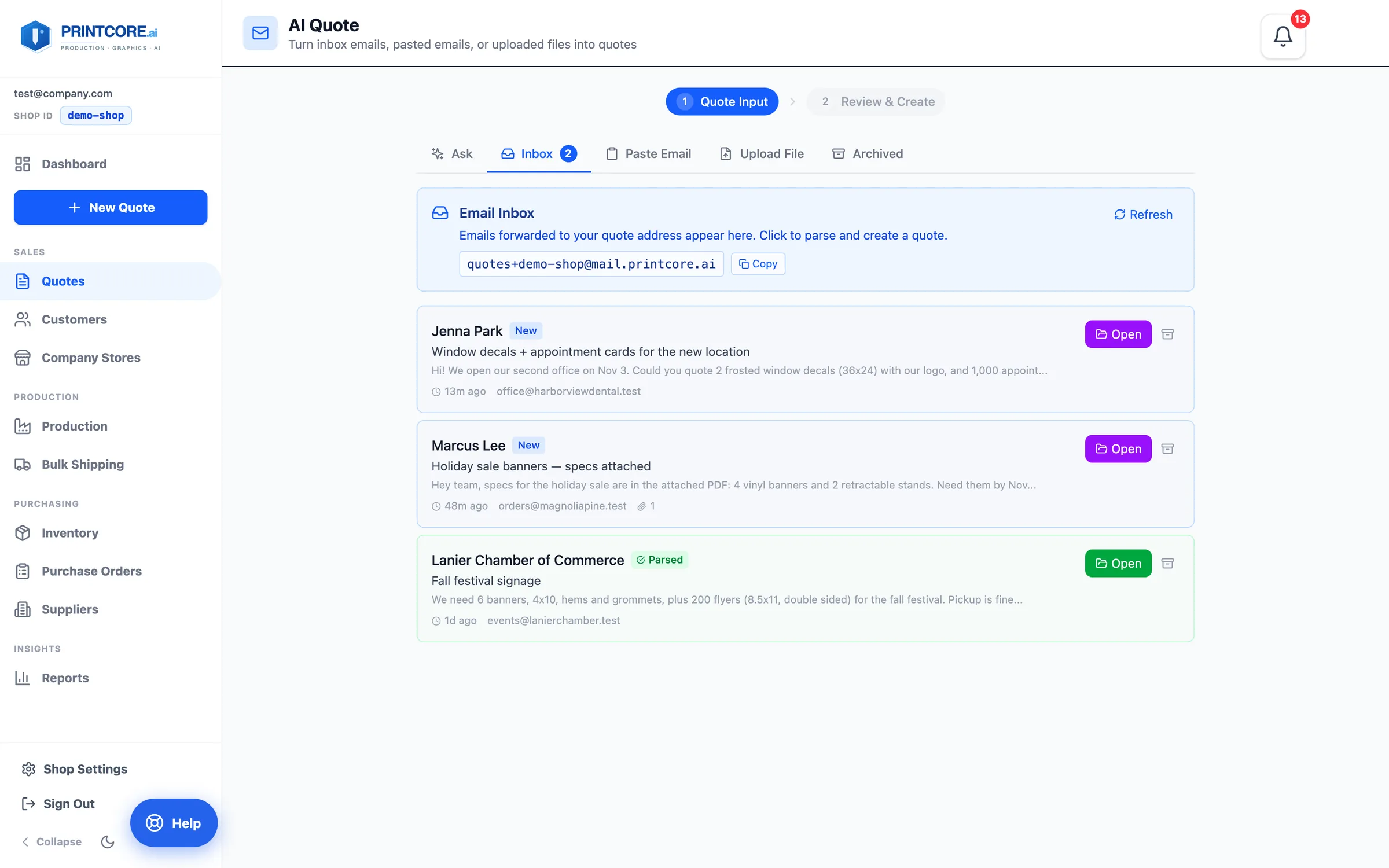
AI Quote is two steps: Quote Input → Review & Create. The input tabs are Ask, Inbox, Paste Email, Upload File, and Archived. Emails forwarded to your shop's quotes@ address and requests customers send from the portal land in the Inbox — New until someone opens them, Parsed once the AI has read them.
What to do
Why it matters
Give it the request
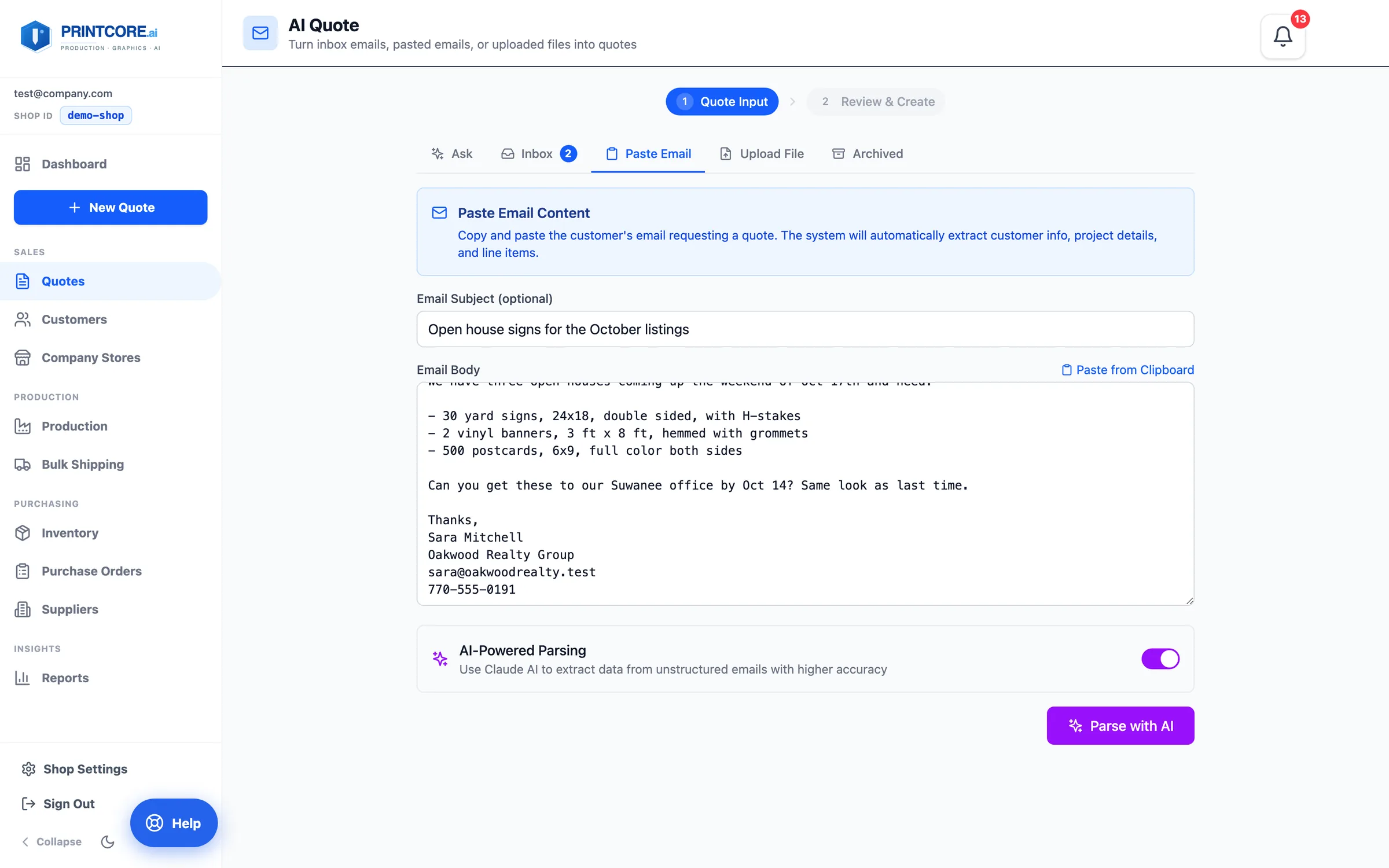
Paste Email takes the subject and body. Upload File takes a PDF or image — scanned PDFs and phone photos work. Emails in the Inbox are read with their attachments too — a spreadsheet pasted as a screenshot becomes one line per row. Click Parse with AI and a progress line shows Reading → Classifying → Extracting → Matching materials → Finding customer, usually 10–20 seconds.
What to do
Why it matters
Review & Create: one page to check and fix
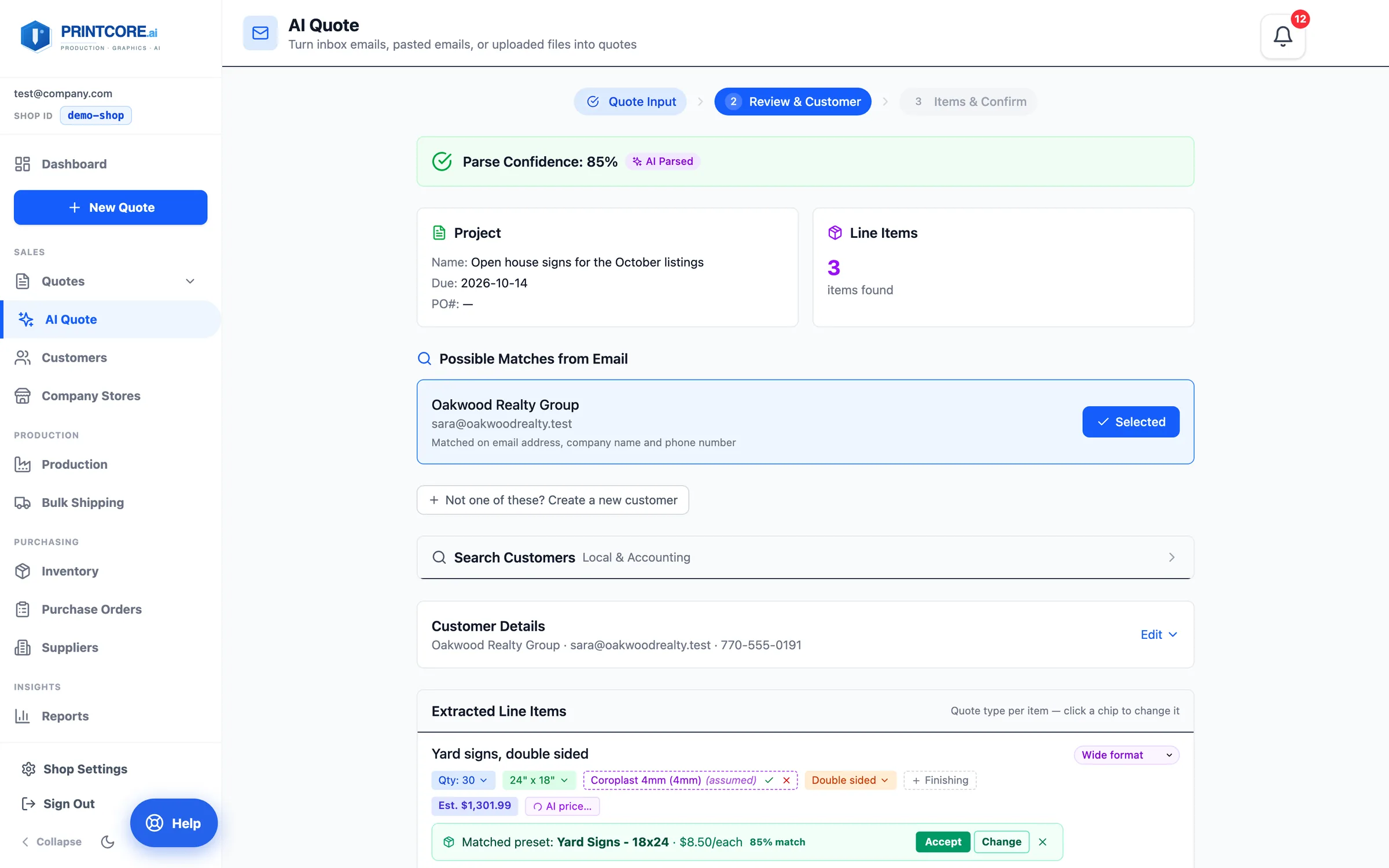
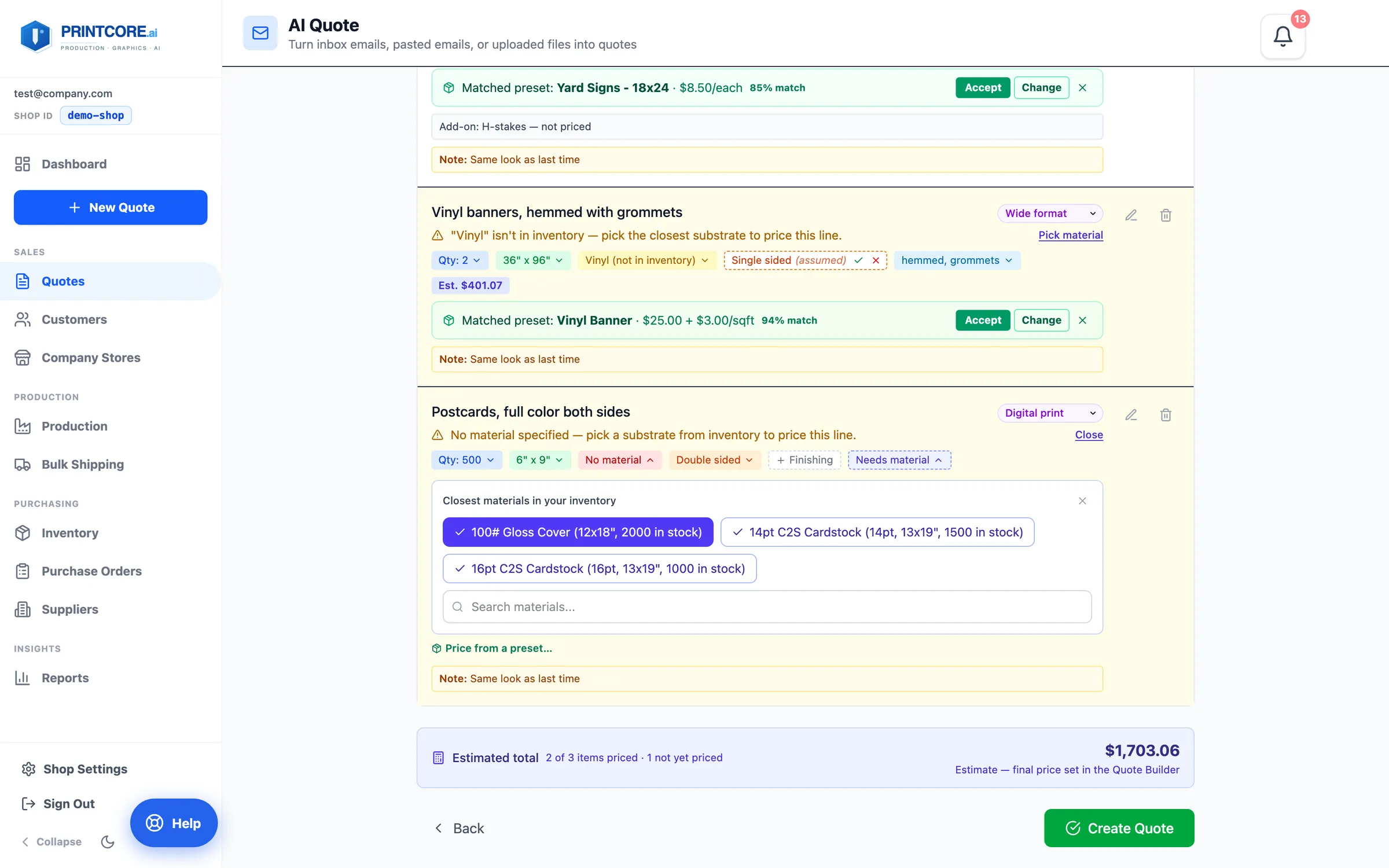
Step 2 is one page. The Parse Confidence at the top, then the customer — matched on email, company name, and phone; an existing customer folds to a one-line Quote for strip with a Change link, a new one opens the form already filled in — then the project details, and every line as chips: quantity, size, material, sides, finishing. Anything the parser assumed is a dashed (assumed) chip, and each line shows an estimate from your own calculators with the AI $ price beside it — click the AI chip to use that price (it shows a check), click again to go back.
What to do
Why it matters
Lines that need a material
A line reading Needs material can't be priced until it has one. Pick material opens a short list of the closest matches from your inventory, with sizes and stock on hand.
What to do
Why it matters
Create the quote
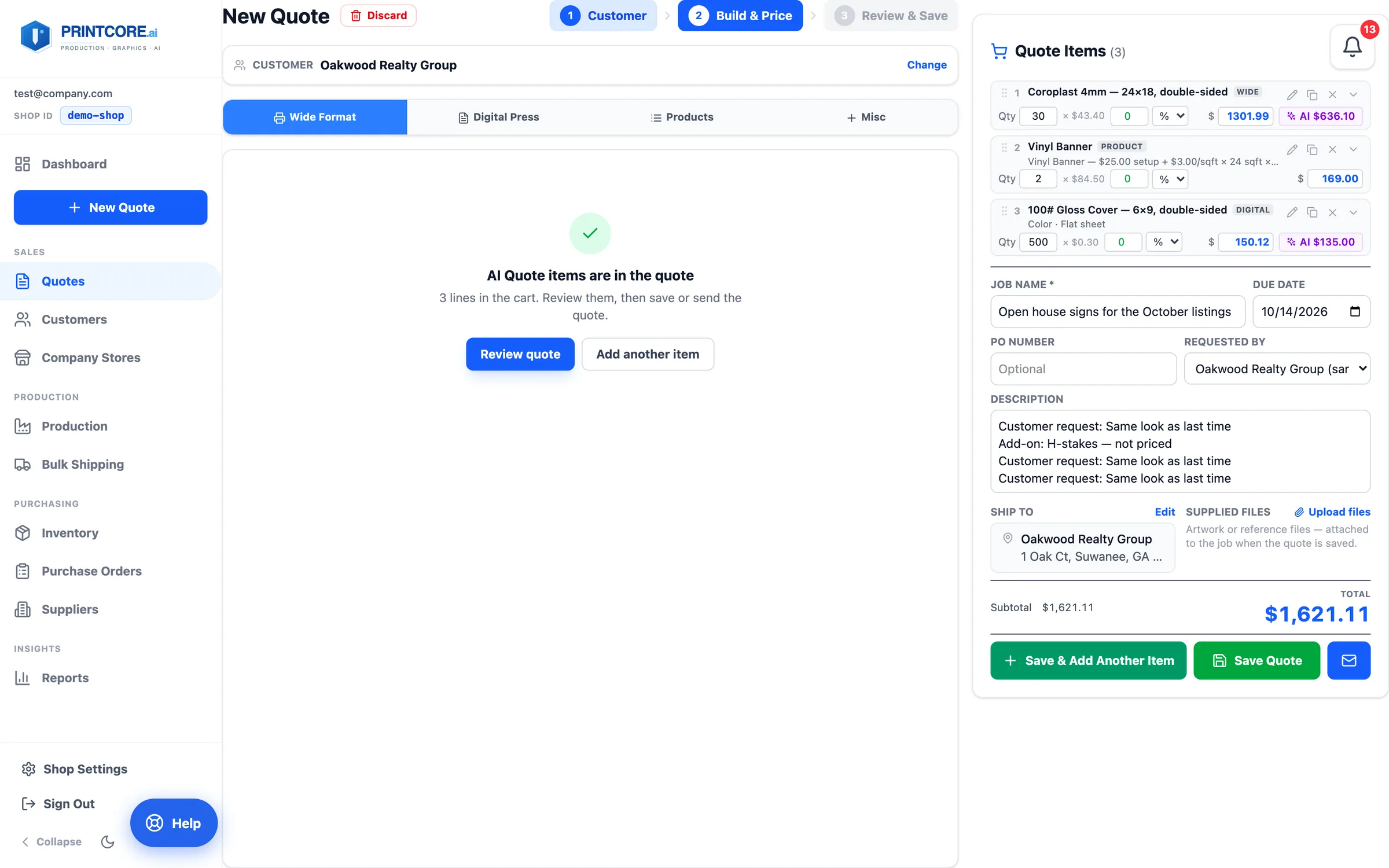
Create Quote puts every line straight into the Quote Builder's cart — at the price the customer's PO states when there is one, from the calculator otherwise. Finishing the customer asked for, like hemming or grommets, arrives as its own priced lines.
What to do
Why it matters
Inbox to quote in 60 seconds ✨
This is one of the most-loved features. Next: managing customers and their history.