
Switch it on
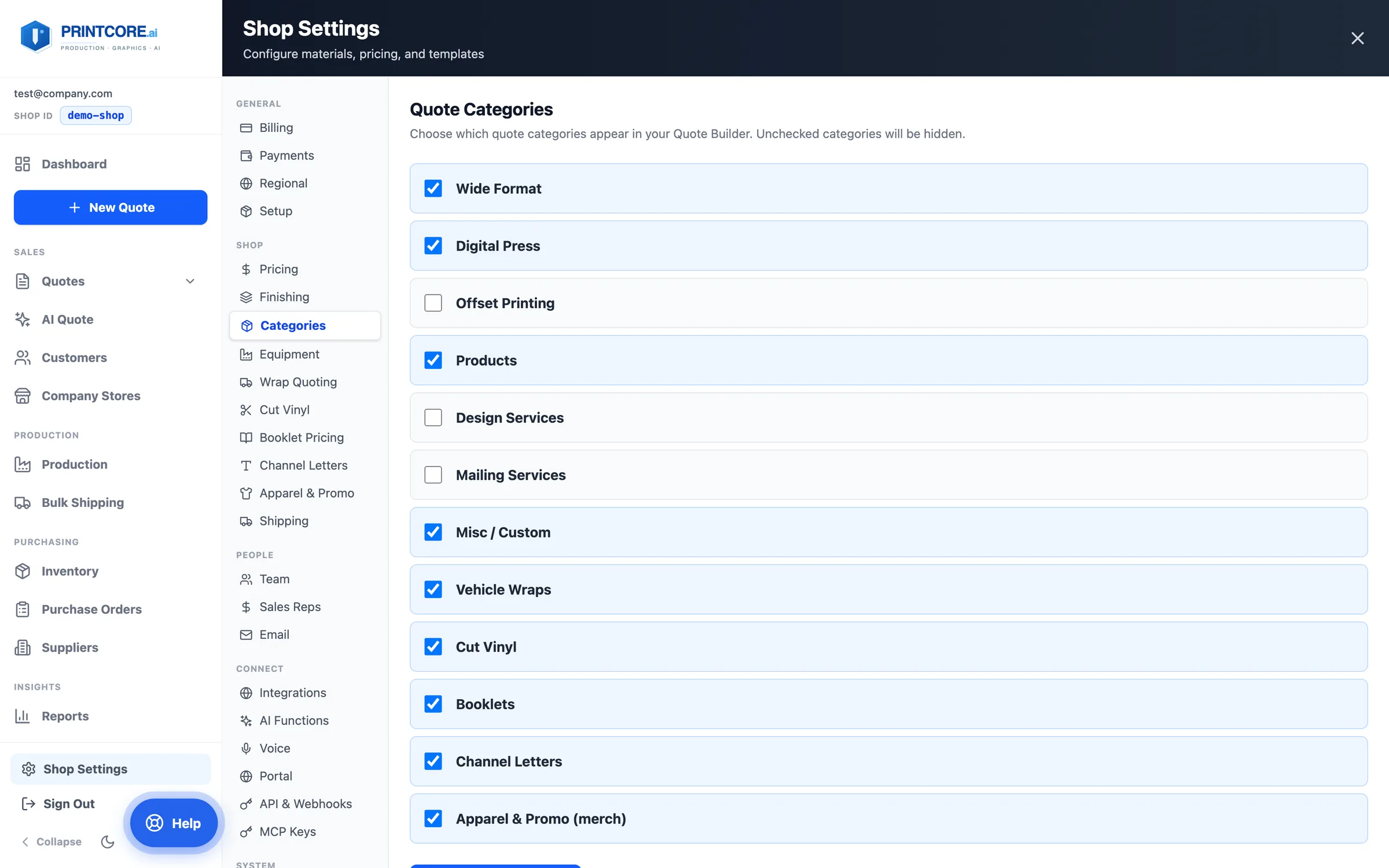
Apparel & Promo is an opt-in quote category. Once it's on, New Quote gets an Apparel & Promo tile, the product picker gets an Apparel & promo tab everywhere it appears, and Shop Settings → Apparel & Promo holds the catalog.
What to do
Why it matters
Set your decoration pricing
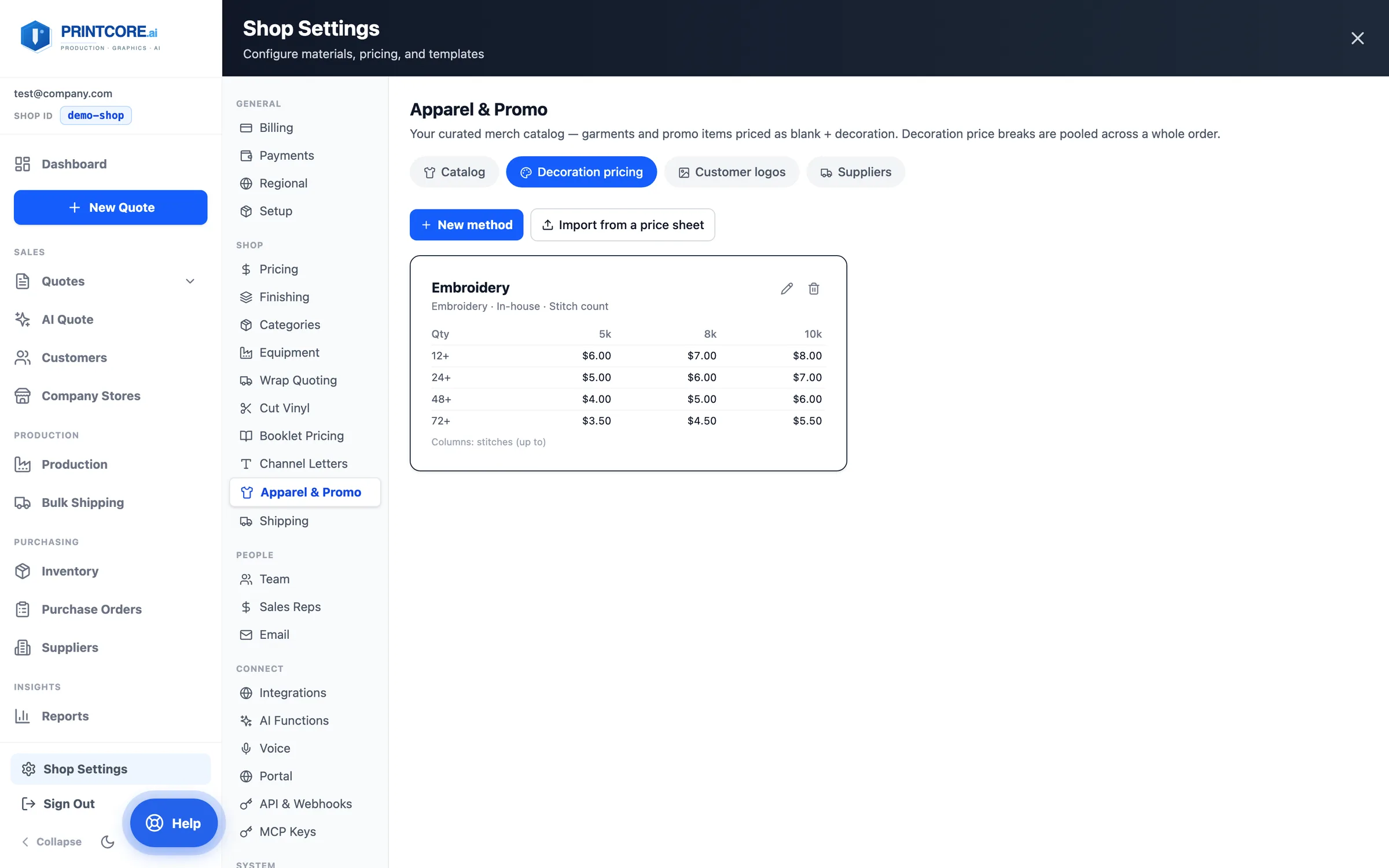
Decoration pricing holds one price grid per method — screen print by number of ink colors, embroidery by stitch count, DTF by print size, laser engraving by quantity. Price breaks are pooled across the whole order, so 24 hoodies and 24 tees with the same art price at the 48 break.
What to do
Why it matters
Build your catalog
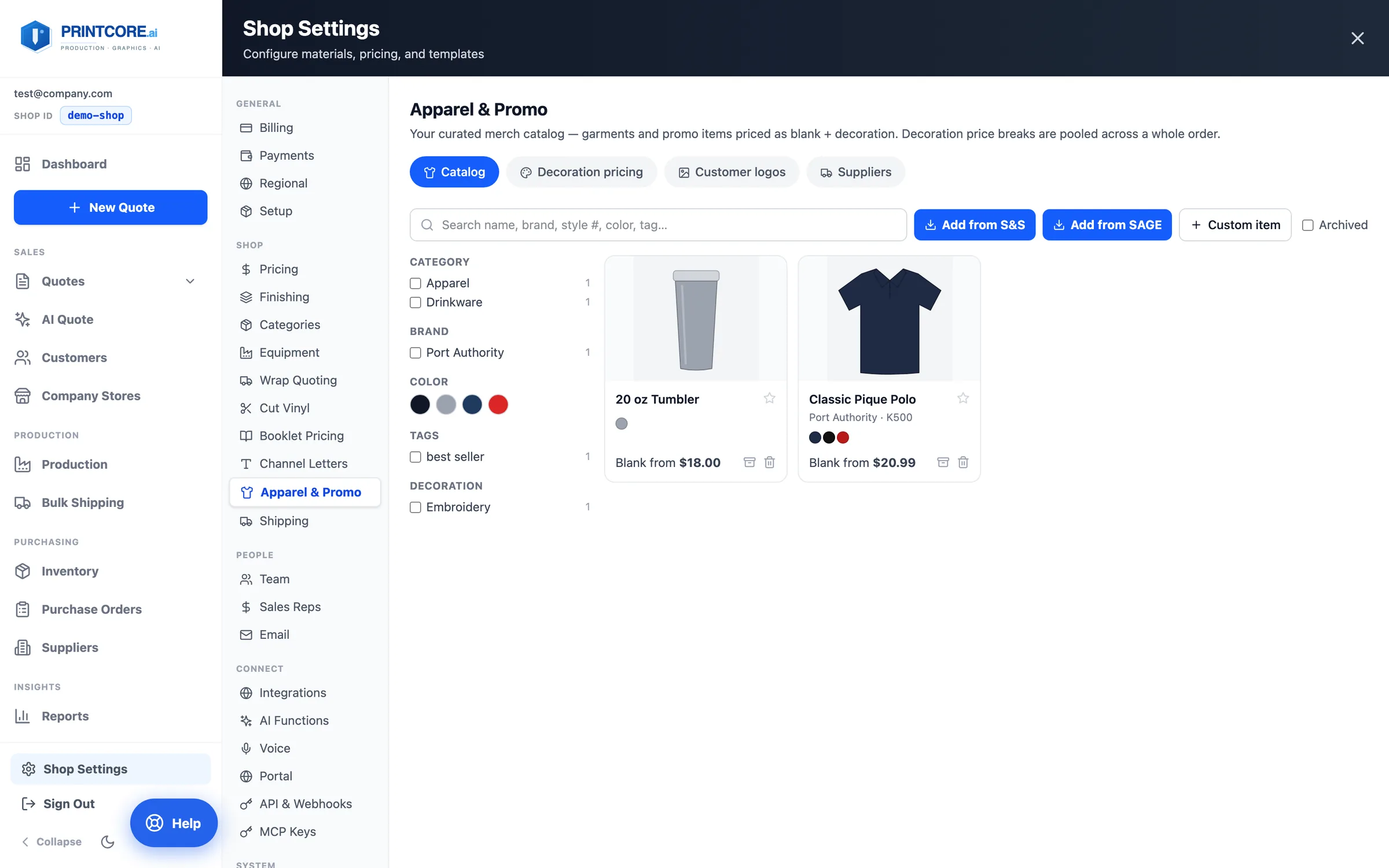
The Catalog is the items you actually sell. Add from S&S brings in styles, colors, photos, and your own account's prices; Add from SAGE searches promotional products with your net cost at every quantity break; Custom item covers anything else. Search and filter by category, brand, color, tag, or decoration.
What to do
Why it matters
Set cost, markup, and methods per item
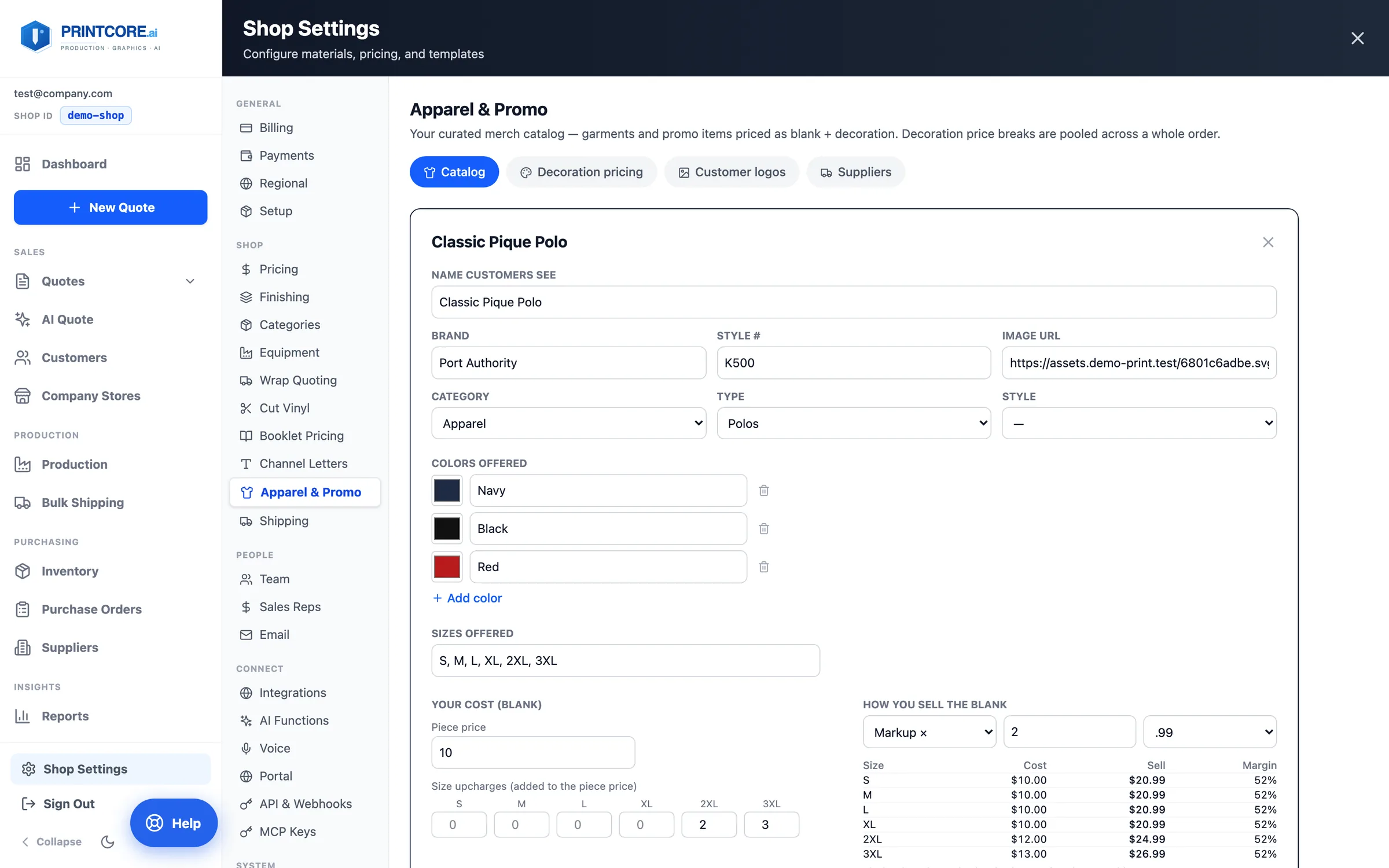
Each item has its colors, sizes, your blank cost with size upcharges (2XL and up), and how you sell the blank — markup, margin, or a fixed price, with rounding. Tick which decoration methods it takes and which is the default, and where the blanks are bought from.
What to do
Why it matters
Keep each customer's logos on file
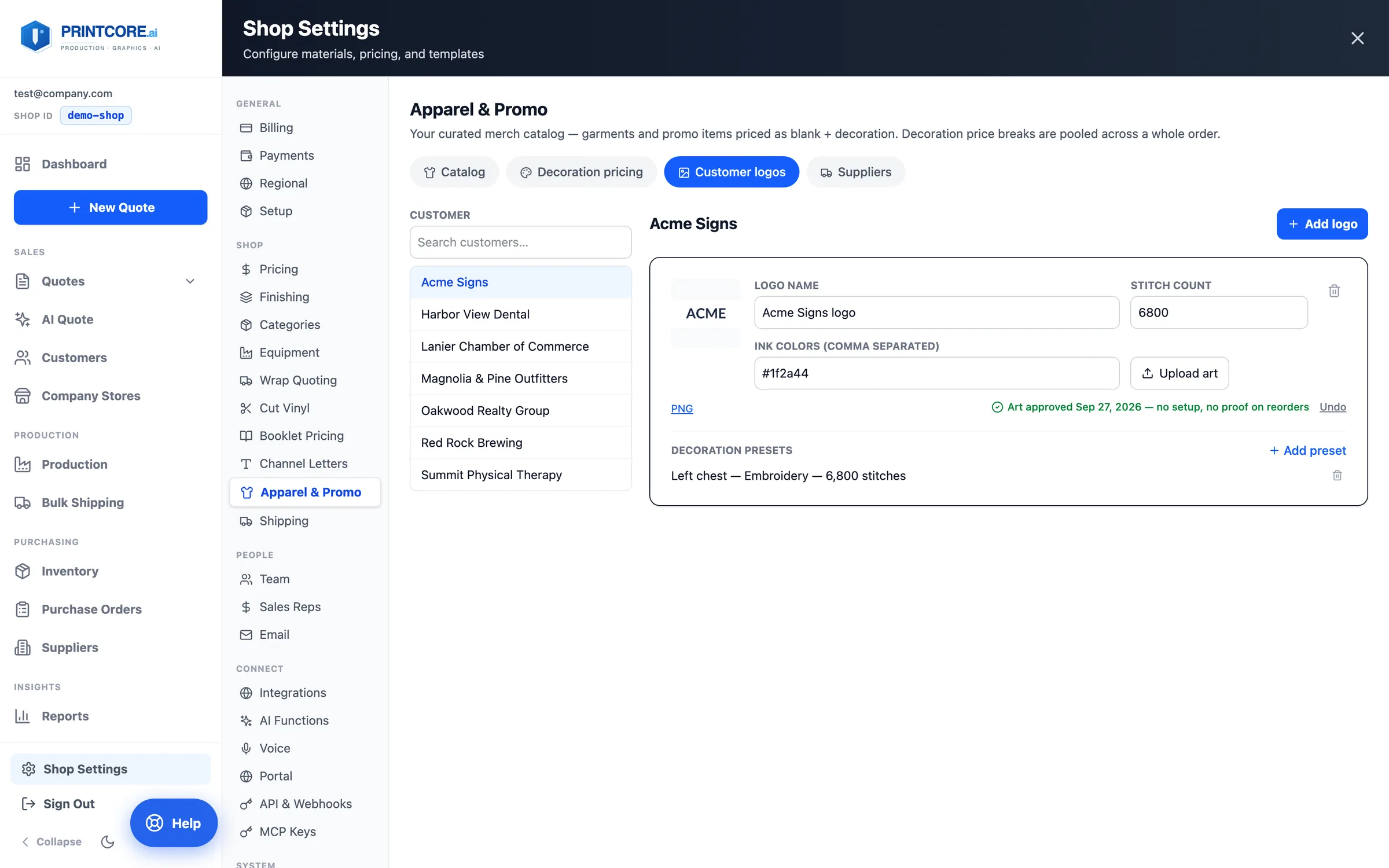
Customer logos stores each customer's art with its stitch count and ink colors, plus decoration presets like "Left chest — Embroidery — 6,500 stitches". Once art is approved, reorders skip the setup charge and the proof.
What to do
Why it matters
Quote it
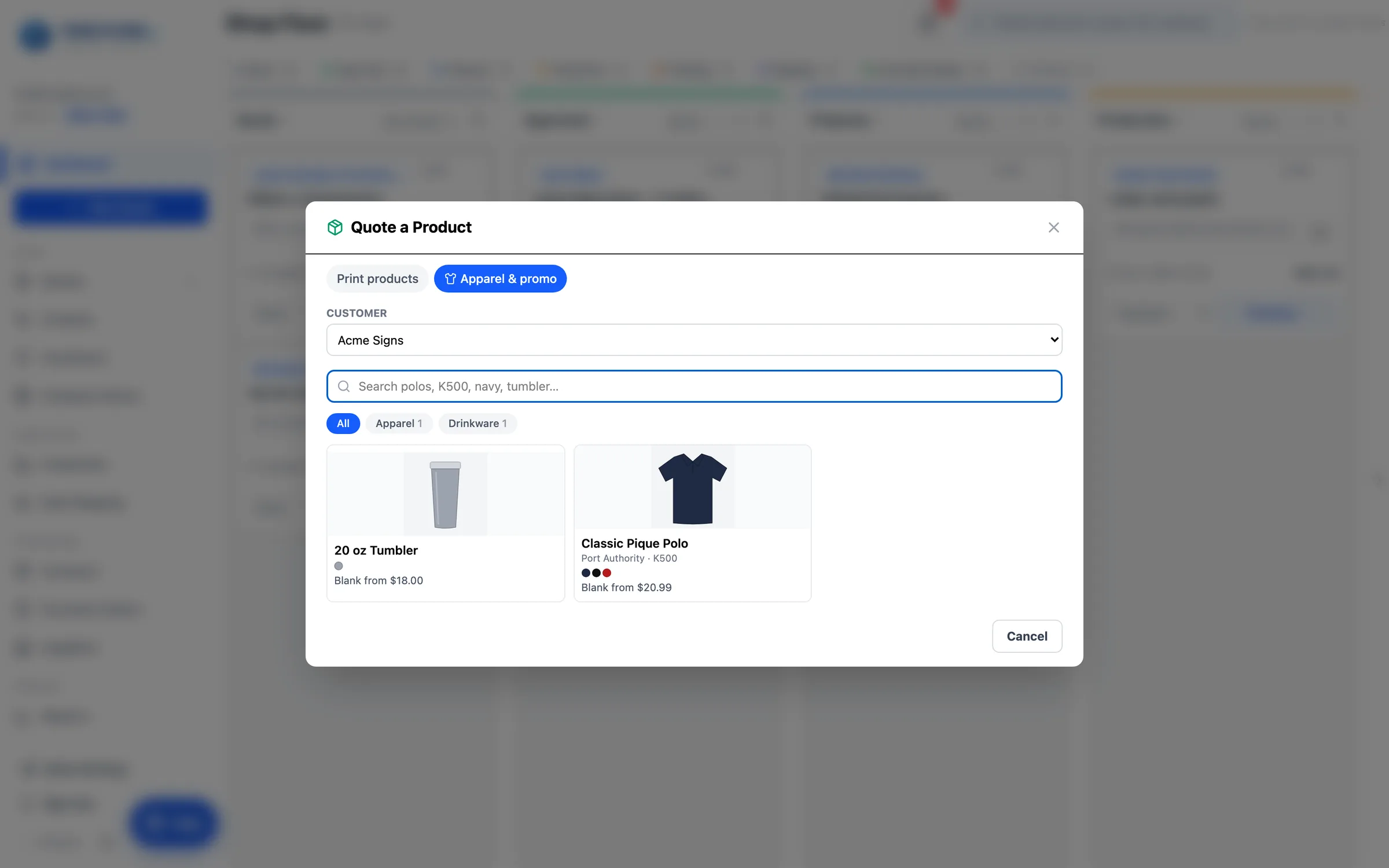
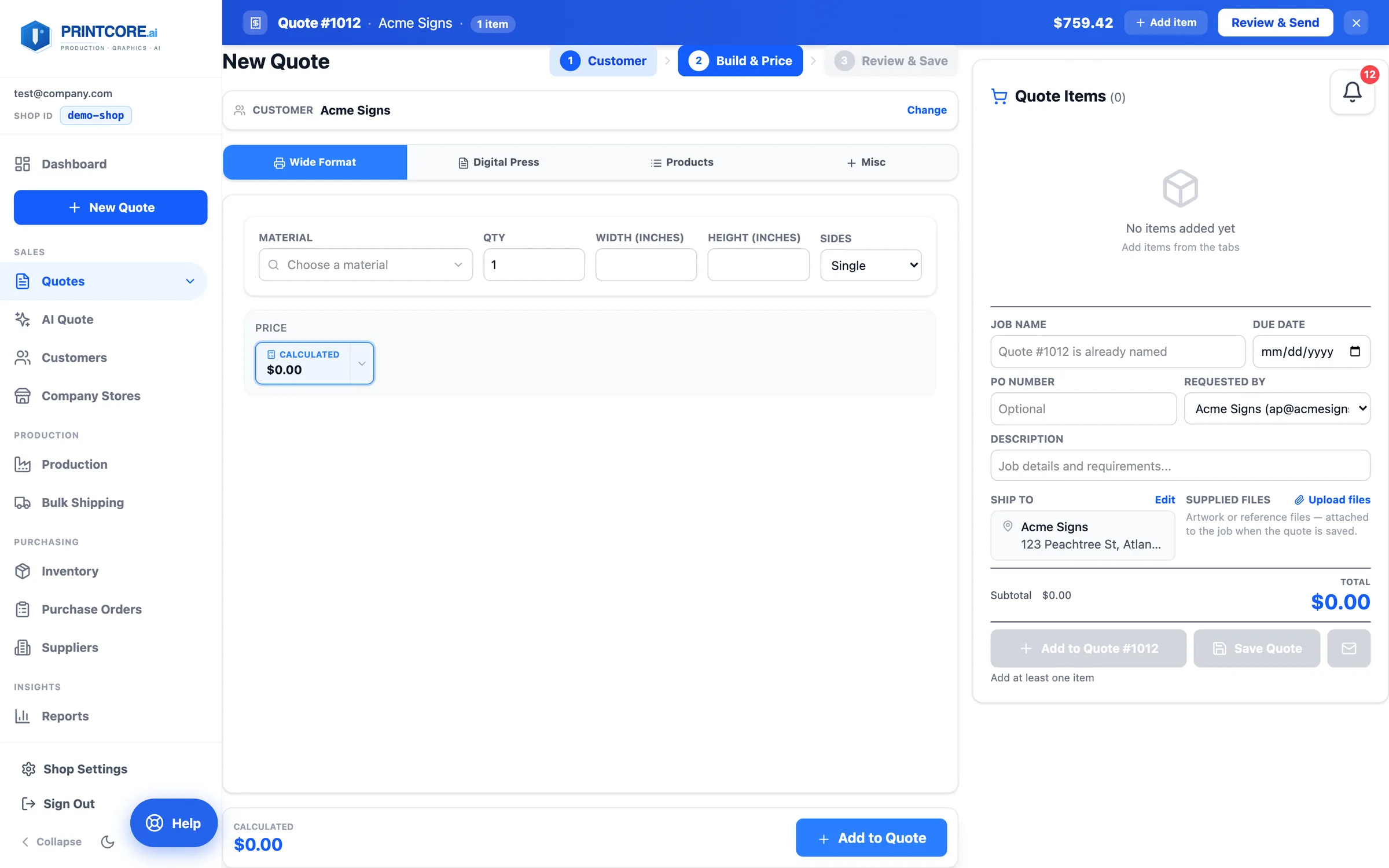
Click New Quote → Apparel & Promo (or Add Product in any calculator, the job ticket, or AI Quote). Pick the customer and the item.
What to do
Why it matters
Color, sizes, decoration — and a mockup
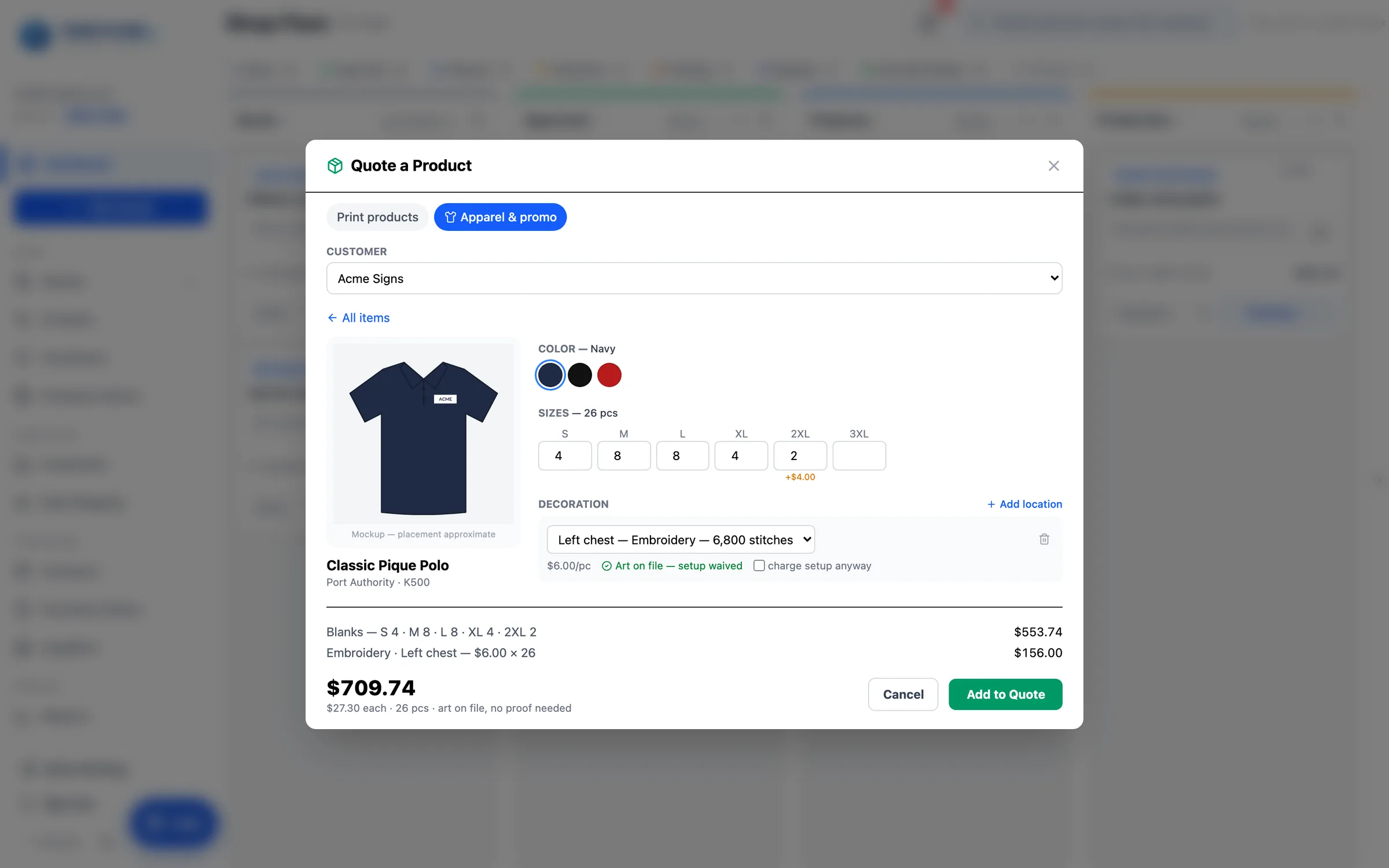
Pick the color, type the size run, and add a decoration for each location — from the customer's presets or custom art. The mockup draws the customer's logo on the product photo where it will go, and the breakdown shows blanks, each decoration, the total, and the price per piece.
What to do
Why it matters
On the job: sizes, decoration, purchase orders
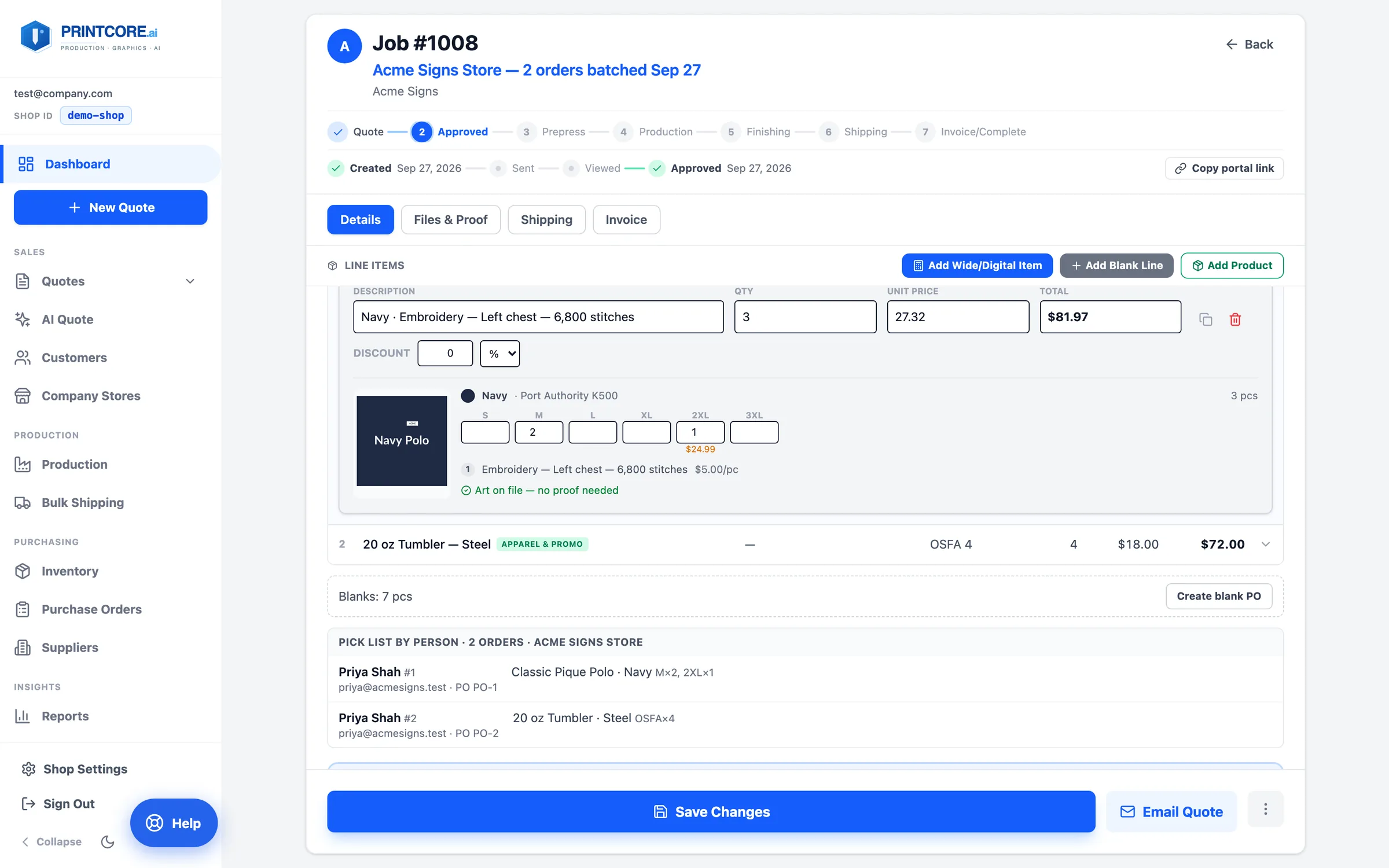
On the job ticket an apparel line keeps its size grid and decorations editable — change a size and the decoration break re-pools across the order. Create blank PO orders the garments from the supplier; outsourced decoration gets its own Create decoration PO.
What to do
Why it matters
Apparel requests come in too
Customers can ask for apparel from your portal — color, quantity by size, decoration method, logo colors, and locations — and AI Quote reads size runs like "12 each S, M, L, XL" from emails. Both arrive with the builder prefilled.
What to do
Why it matters
Sell it through a company store
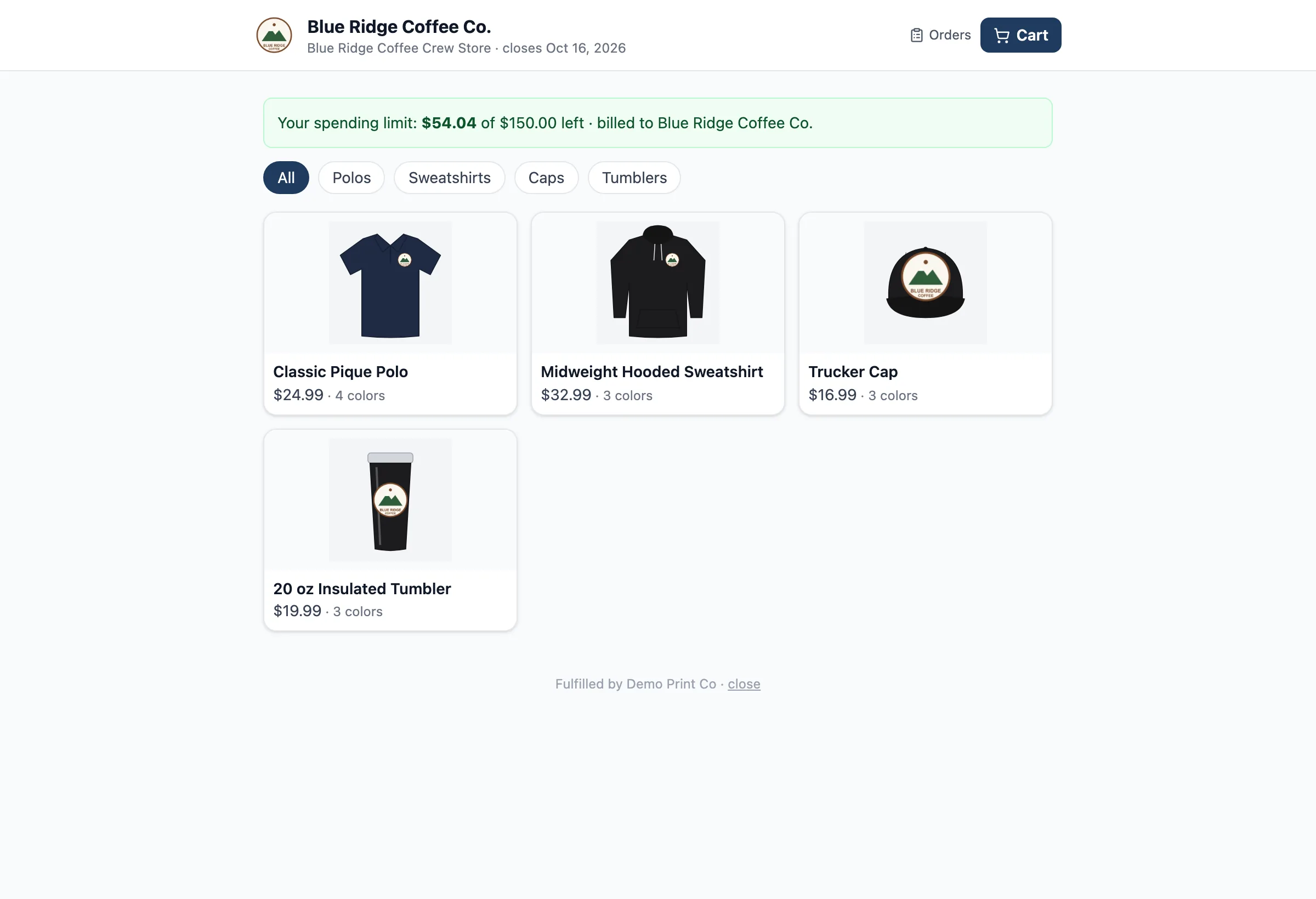
Once a customer's logos and presets are on file, you can give them a company store: a branded storefront in your portal where their people order these same items with the logo already placed, at one fixed price, billed to the account — or paid by card in a sponsored store.
What to do
Why it matters
Merch is part of your shop now 👕
That's the full tour. Next up: company stores, where your customers order merch themselves.